

![Online Teacher Home Office Setup [+ Tech Checklist] — Been Remote](https://images.squarespace-cdn.com/content/v1/636e83ae4b82aa10f4081455/1750122871422-PWZCORGN8G9CT1Z6A3OE/image1.jpeg)
Best Budget Webcams for Online Teachers and Tutors: The Ultimate Buyer’s Guide (2026)
In the world of online teaching and tutoring, your webcam is far more than just a piece of hardware – it’s your window to your students. Whether you’re explaining complex grammar rules, demonstrating science experiments, or building rapport during one-to-one sessions, a crisp, professional video feed makes all the difference. Poor lighting, grainy footage, or muffled audio can distract learners and undermine your authority as an educator.
As online education continues to boom in 2026, budget-conscious teachers and tutors need reliable upgrades without breaking the bank. Built-in laptop cameras simply don’t cut it for professional lessons. The good news? Excellent webcams are now available for under £100 that deliver 1080p or even 4K clarity, noise-cancelling microphones, auto-focus, and smart features tailored to classroom needs.
This comprehensive buyer’s guide reviews the very best budget webcams specifically for online teachers and tutors. We’ve tested and analysed models based on real-world teaching scenarios: clear face visibility during long lessons, adjustable fields of view for sharing whiteboards or resources, reliable audio for clear instruction, and seamless compatibility with Zoom, Microsoft Teams, and Google Meet.
We focus strictly on options under £100 that offer genuine value – no gimmicks, just practical performance that elevates your online classes. Let’s help you look sharp, sound professional, and connect better with your students.
Why Online Teachers Need a Dedicated Webcam
Laptop webcams are convenient but often deliver washed-out colours, poor low-light performance, and tinny audio. In a virtual classroom, this translates to disengaged students who struggle to see your expressions or demonstrations. A quality external webcam instantly upgrades your presence: sharper video keeps attention, dual microphones reduce background noise from home offices, and features like privacy shutters add peace of mind.
For tutors juggling multiple platforms, plug-and-play USB compatibility is essential. Wider fields of view (70–95°) let you share materials without constant repositioning, while auto light correction handles varying home lighting. Budget doesn’t mean compromise in 2026 – models with 2K or 4K sensors and AI enhancements deliver pro results for £40–£80.
What to Look for in a Budget Webcam for Teaching
Before diving into recommendations, here’s your essential checklist:
- Resolution & Frame Rate: Minimum 1080p at 30fps; 2K or 4K preferred for cropping/sharpness. 60fps for smoother gestures or writing on screen.
- Microphones: Dual noise-cancelling mics to filter fan noise or traffic – crucial for clear explanations.
- Field of View (FOV): 78–95° adjustable ideal for showing resources alongside your face.
- Autofocus & Light Correction: Keeps you sharp during movement; auto-adjusts for different times of day.
- Mounting: Clip for monitors plus tripod thread for flexibility.
- Privacy & Software: Built-in shutter and basic apps for tweaks.
- Compatibility: Works natively with Zoom, Teams, Meet – no extra drivers needed.
- Price: Under £100 for true budget value.
All our picks meet these criteria while excelling in teaching-specific use.

1. Best Overall Budget Pick: Anker PowerConf C200 2K (£39.99)
The Anker PowerConf C200 stands out as the top choice for most online teachers and tutors. At under £40, it punches well above its weight with true 2K resolution that delivers noticeably sharper video than standard 1080p models.
Key Specs: 2K (2560x1440) at 30fps, adjustable FOV (65°/78°/95°), dual AI noise-cancelling microphones, auto light correction, built-in privacy shutter, USB plug-and-play.
Why it’s perfect for teaching: The adjustable FOV is a game-changer – switch to 95° to display worksheets or experiments alongside you, then narrow it for intimate one-to-one sessions. Noise-cancelling mics pick up your voice clearly even with background distractions, while excellent low-light performance ensures you look professional at any time of day. Reviewers consistently praise its crisp Zoom/Teams output that outperforms many laptop cameras.
Pros: Outstanding value, versatile mounting (clip or tripod), privacy cover, simple software for tweaks. Cons: No 60fps; autofocus slightly slower than premium models.
UK teachers report it transforms dull lessons into engaging ones. At £39.99 on Amazon.co.uk, it’s an absolute steal for beginners or those upgrading multiple setups.

2. Best 4K Value: EMEET C960 (£55–£60)
For tutors who want future-proof clarity without overspending, the EMEET C960 brings genuine 4K UHD resolution at an astonishing price.
Key Specs: 4K (3840x2160) at 30fps (downscales beautifully to 1080p for platforms), Sony sensor, PDAF autofocus, dual omnidirectional mics with noise reduction, 73° FOV, auto light correction, privacy cover, tripod-compatible.
Why it’s perfect for teaching: The 4K sensor provides incredible detail – perfect for close-up demonstrations of handwriting, diagrams, or small objects. Autofocus locks onto your face or materials instantly, while light correction handles mixed home lighting. Dual mics deliver clear audio for pronunciation lessons or group discussions. It works flawlessly across all major platforms.
Pros: True 4K on a budget, sharp Sony sensor, privacy cover included. Cons: Software tweaks recommended for optimal colours; FOV less adjustable than Anker.
At around £55–£60 on Amazon.co.uk, this is the webcam serious educators choose when detail matters most. Many tutors say students comment on the “professional studio” look.
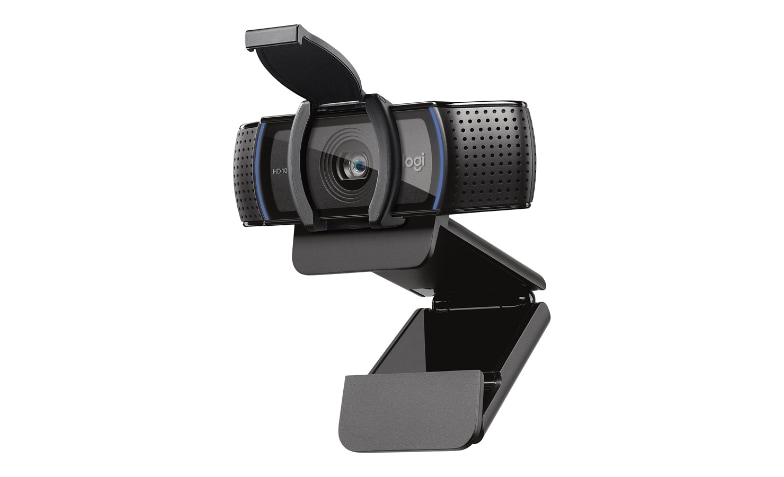
3. Best Reliable Classic: Logitech C920s HD Pro (£60–£70)
The Logitech C920s remains a timeless favourite for teachers who value proven reliability over flashy features.
Key Specs: Full HD 1080p at 30fps, dual stereo microphones with noise reduction, 78° FOV, HD auto light correction, privacy shutter, autofocus, full software support via Logitech Capture.
Why it’s perfect for teaching: This model has powered countless online classrooms for years. Stereo mics capture natural voice tone, light correction keeps colours accurate, and the sturdy clip mount stays put during energetic lessons. It integrates seamlessly with all platforms and even supports background replacement in Zoom.
Pros: Rock-solid build, excellent software ecosystem, proven track record. Cons: Only 1080p (no 2K/4K); fixed FOV.
Priced £60–£70 on Amazon.co.uk and Argos, it’s the safe, no-fuss choice for tutors who want something that just works – day after day, year after year.
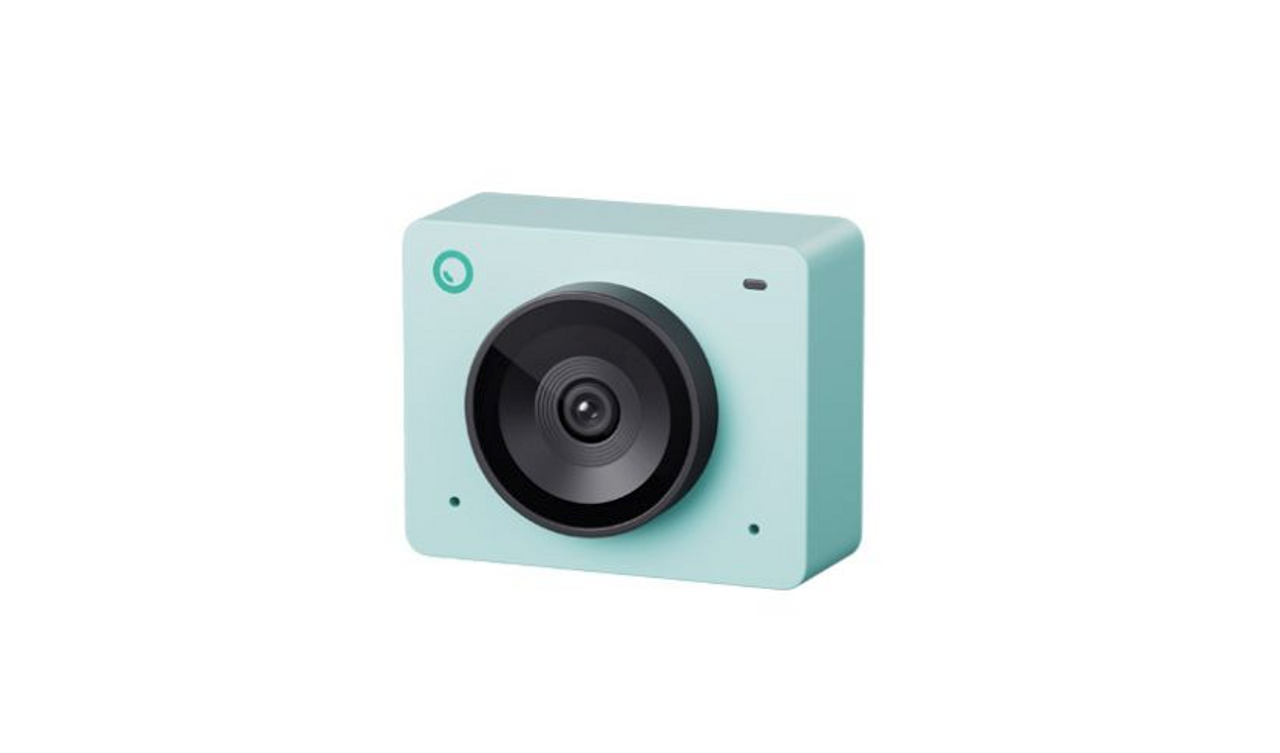
4. Best with AI Intelligence: OBSBOT Meet SE (£70–£77)
Teachers who move around during lessons or want hands-free framing will love the OBSBOT Meet SE’s smart AI features.
Key Specs: 1080p at up to 100fps, AI auto-framing and tracking, gesture control, beauty mode, staggered HDR, compact design, dual mics.
Why it’s perfect for teaching: AI keeps you perfectly centred even if you stand up to demonstrate on a whiteboard or grab props. Gesture controls let you zoom or switch modes without touching the camera – ideal for interactive sessions. High frame rates ensure smooth video during writing or movement. The tiny footprint fits any desk.
Pros: Intelligent tracking, ultra-smooth video, modern features. Cons: 1080p resolution only; slightly higher price in the budget range.
Available around £70–£77 from UK retailers like Scan, it’s the dynamic choice for lively tutors and tutors who teach standing or moving.

5. Best for Smooth Video: Elgato Facecam Neo (£58–£60)
Streamers and dynamic educators adore the Elgato Facecam Neo for its silky 60fps performance.
Key Specs: 1080p at 60fps, autofocus lens, physical privacy shutter, light correction, 77° FOV, USB-C plug-and-play.
Why it’s perfect for teaching: The 60fps frame rate makes gestures, writing, and demonstrations look buttery smooth – students notice the professional polish immediately. Autofocus and light correction handle movement and varying conditions brilliantly. The privacy shutter is quick and satisfying.
Pros: Super-smooth video, solid build, great in varied lighting. Cons: No built-in microphone (use headset or separate mic); picture can blow out in very bright rooms.
At £58–£60, it’s a fantastic pick for tutors who prioritise fluid motion over resolution.

6. Best Advanced Budget Option: Insta360 Link 2C (£98–£110)
Slightly pushing the top of our budget but still under £110, the Insta360 Link 2C offers premium AI features that many teachers swear by.
Key Specs: 4K resolution, AI auto-framing and noise-cancelling mic, HDR, gesture control, compact gimbal-style design.
Why it’s perfect for teaching: 4K clarity plus intelligent framing keeps focus on you or your materials automatically. Excellent audio and HDR make lessons pop. Ideal for tutors who want the most modern setup without premium prices.
Pros: Outstanding 4K and AI smarts. Cons: Highest price here; may exceed strict £100 budgets.
A worthwhile stretch for dedicated professionals.
Comparison Table
| Model | Resolution/FPS | Price (UK) | Best For | Key Strength |
|---|---|---|---|---|
| Anker C200 | 2K/30fps | £39.99 | Overall value | Adjustable FOV |
| EMEET C960 | 4K/30fps | £55–60 | Detail & demos | Sharpness |
| Logitech C920s | 1080p/30fps | £60–70 | Reliability | Proven performance |
| OBSBOT Meet SE | 1080p/100fps | £70–77 | Movement & tracking | AI framing |
| Elgato Facecam Neo | 1080p/60fps | £58–60 | Smooth motion | Fluid video |
| Insta360 Link 2C | 4K/variable | £98–110 | Advanced AI | Smart features |
How to Set Up Your New Webcam for Teaching Success
- Mount at eye level using the clip or a cheap tripod (£10).
- Position a soft light source (ring light or window) in front.
- Test in your platform: adjust FOV, enable noise cancellation.
- Use free software like OBS Studio for backgrounds or overlays.
- Enable privacy shutter when not in use.
Pro Tips for Better Online Lessons
- Combine with a ring light (£15–20) for flawless lighting.
- Use a green screen (£10) for virtual backgrounds.
- Test audio with students – external mics can pair perfectly.
- Update firmware regularly for optimal performance.
Final Verdict
Any of these webcams will transform your online teaching setup. Start with the Anker PowerConf C200 for unbeatable value, upgrade to the EMEET C960 for 4K detail, or choose AI-driven models if movement is key. All deliver professional results under £100.
Invest in a good webcam today – your students (and your confidence) will thank you.
0 comments