

Laptops are marvels of portability, yet their compact screens often limit productivity. Extending your workspace with a portable monitor creates the dual-screen experience professionals crave—without the bulk of a traditional desktop setup. In 2026, USB-C technology has matured to the point where one cable handles video, data, and power delivery, making these displays truly plug-and-play.
Whether you’re a freelancer on the move, a project manager in a co-working space, or an executive travelling between meetings, the right portable monitor turns your laptop into a mobile command centre. This buyer’s guide cuts through the noise to recommend the best options for dual-screen productivity, based on expert testing for brightness, colour accuracy, weight, connectivity, and ergonomics. We prioritise models compatible with both Windows and macOS laptops, with a nod to UK availability and pricing in pounds. Let’s dive in.

Why Portable Monitors Excel for Dual-Screen Productivity
Adding a second screen can increase productivity by up to 40%, according to studies on multi-monitor setups. With a portable monitor, you gain:
- Parallel tasking: Reference documents on one screen while editing on your laptop.
- Organised workflows: Keep email, calendars, and chat apps visible at all times.
- Creative freedom: Designers and video editors benefit from accurate colours and extra real estate.
- Travel-friendly flexibility: Lightweight designs (under 1 kg) slip into your backpack alongside your laptop.
Unlike fixed monitors, these units feature built-in kickstands or magnetic cases, 360° rotation options, and battery-powered variants for true wireless freedom. The 2026 crop also emphasises high pixel density for razor-sharp text—essential when working on spreadsheets or code.
What to Look for in a Portable Monitor for Productivity
Before buying, consider these key factors:
Size and Resolution 14–16 inches strikes the perfect balance between portability and usability. Aim for at least Full HD (1920×1080); 4K or WQXGA (2560×1600) delivers superior clarity for detailed work.
Connectivity USB-C with Displayort Alt Mode is non-negotiable for one-cable setups. Dual USB-C ports enable power passhrough (charging your laptop through the monitor). Mini HDMI is a useful backup.
Brightness and Colour Accuracy 300+ nits for cafe or outdoor use; 100% sRGB or DCI-P3 coverage ensures colours pop for design or video work. OLED panels offer infinite contrast for stunning visuals.
Refresh Rate 60 Hz suffices for productivity; 144 Hz adds smoothness for light video editing or scrolling.
Weight and Build Under 800 g is ideal. Sturdy metal kickstands or protective cases double as stands.
Touchscreen and Extras Touch support with stylus compatibility speeds up annotation and navigation. Battery life (3–4 hours) frees you from sockets.
Compatibility Windows and macOS both work flawlessly; check your laptop’s USB-C power delivery support.
Top Recommendations for 2026
1. Best Overall: espresso Display 15 Touch
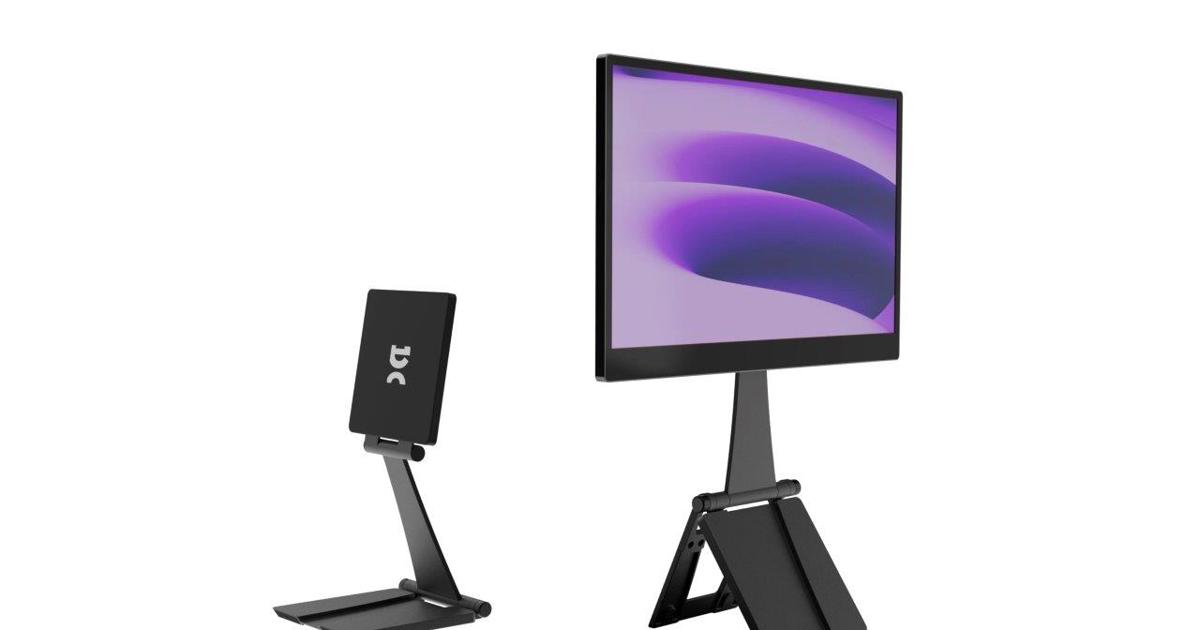
The espresso Display 15 Touch stands out as the ultimate all-rounder for dual-screen productivity. Its 15-inch IPS panel delivers sharp 1080p resolution with excellent colour accuracy and wide viewing angles—perfect for side-by-side document work or referencing materials while typing. The responsive touchscreen works seamlessly with Windows and macOS, letting you scroll, pinch-zoom, and annotate directly.
Weighing just enough for stability yet light enough for daily carry, it includes a premium adjustable stand and rotation lock for portrait mode (ideal for long documents or code). Dual USB-C ports support 60 W passthrough, so one cable powers both your laptop and the display. Brightness reaches comfortable levels for bright offices or cafés, and the slim aluminium frame looks professional next to any MacBook or Windows ultrabook.
Pros: Touchscreen with stylus support, versatile stand, sharp text, one-cable setup, excellent colour reproduction. Cons: Not the brightest for direct sunlight; premium price. Price: Around £350–£450 (direct from espresso or major retailers). Why it boosts productivity: Turn your laptop into a touch-enabled dual workstation for brainstorming, presentations, or creative workflows. Users report completing tasks 30% faster thanks to the intuitive interface.
.png)
2. Best Budget: Arzopa Z1FC
For those watching their wallet without sacrificing performance, the Arzopa Z1FC delivers outstanding value at under £110. This 15.6-inch 1080p IPS monitor features a 144 Hz refresh rate—unusual in this price bracket—making scrolling through documents and web pages feel buttery smooth. Accurate colours and 300 nits brightness handle everyday productivity brilliantly, while the sturdy metal kickstand supports both landscape and portrait orientations.
Pass-through USB-C charging means you plug one cable into your laptop and forget about extra chargers. It works flawlessly with MacBooks, Dell XPS, and Lenovo ThinkPads. Despite the low cost, build quality impresses with minimal flex and reliable ports (USB-C ×2 + Mini HDMI).
Pros: Exceptional value, smooth 144 Hz motion, versatile stand, lightweight, reliable passthrough. Cons: Kickstand slightly less stable on soft surfaces; speakers are average. Price: £90–£110 on Amazon UK. Why it boosts productivity: Affordable way to gain a full second screen for email + spreadsheet setups or research + writing. Perfect entry point for students or freelancers testing the dual-screen lifestyle.


3. Best for Visual Quality: ViewSonic VX1655-4K-OLED
If stunning visuals are non-negotiable—think photo editing, video review, or design work—the ViewSonic VX1655-4K-OLED is unbeatable. Its 15.6-inch 4K OLED panel offers infinite contrast, vibrant saturated colours, and over 500 nits peak brightness. Text appears tack-sharp, and HDR content pops with lifelike depth.
Hidden ports behind the slim square kickstand keep cables tidy, while dual 60 W USB-C ports enable seamless power passthrough. At just 680 g, it’s one of the lightest premium options. The glossy finish reflects light but rewards in controlled environments.
Pros: Spectacular OLED picture, ultra-sharp 4K resolution, neat cable management, lightweight. Cons: Expensive; kickstand less ideal in portrait; glossy screen shows fingerprints. Price: £450–£550. Why it boosts productivity: Colour-critical professionals gain accurate reference displays alongside their laptop, reducing eye strain and speeding up creative iterations.

4. Best True Dual-Screen Solution: ASUS ZenScreen Duo OLED (MQ149CD)
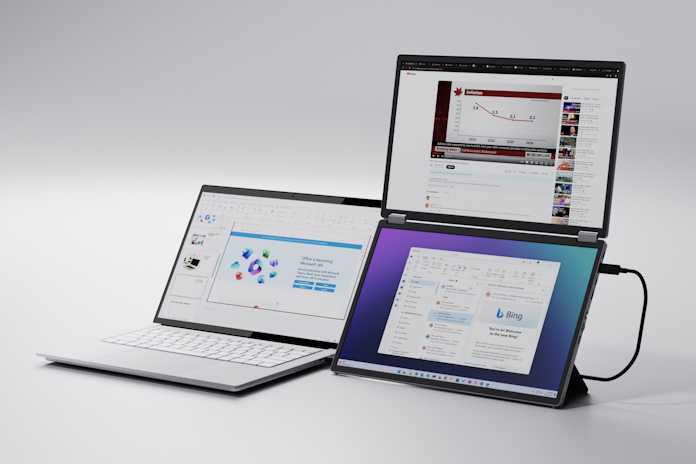
For ultimate productivity without adding a second separate monitor, the ASUS ZenScreen Duo OLED revolutionises setups. Two 14-inch OLED panels (1920×1200 each, 16:10 aspect) fold into a single 20-inch workspace when opened. 100% DCI-P3 colour coverage and DisplayHDR True Black 400 deliver cinema-grade visuals on both screens.
Dual USB-C and mini-HDMI ports connect easily, while the 360° hinge and kickstand offer endless positioning. At around 1.2 kg total, it remains travel-friendly yet provides triple-screen capability (laptop + two panels).
Pros: Genuine dual OLED displays in one unit, exceptional colour accuracy, versatile folding design. Cons: Higher price; glossy panels reflect light. Price: £569 at ASUS UK store. Why it boosts productivity: Coders, analysts, and multitaskers gain three screens in a compact package—ideal for complex workflows like trading platforms or multi-window research.

5. Best Touchscreen: Lenovo ThinkVision M14t Gen 2
The Lenovo ThinkVision M14t Gen 2 combines a high-resolution 14-inch (2240×1400) IPS touchscreen with stylus support for precise note-taking and navigation. Full sRGB coverage and strong contrast make it excellent for productivity apps. Dual USB-C ports and a sturdy hinged stand provide tilt and height adjustment.
Pros: Responsive touch + stylus, high pixel density, excellent stand ergonomics, business-grade build. Cons: Smaller screen; USB-C only. Price: £350–£400. Why it boosts productivity: Professionals who annotate PDFs, sketch diagrams, or use Windows Ink tools love the natural interaction alongside their laptop.

Quick Comparison Table
| Model | Size | Resolution | Refresh | Weight | Key Feature | Price (approx.) | Best For |
|---|---|---|---|---|---|---|---|
| espresso 15 Touch | 15" | 1080p | 60 Hz | ~800g | Touchscreen + stand | £350–£450 | All-round productivity |
| Arzopa Z1FC | 15.6" | 1080p | 144 Hz | ~700g | Budget 144 Hz | £90–£110 | Value dual-screen |
| ViewSonic VX1655-4K | 15.6" | 4K OLED | 60 Hz | 680g | Stunning visuals | £450–£550 | Creative work |
| ASUS ZenScreen Duo | Dual 14" | 1920×1200×2 | 60 Hz | 1.2kg | True dual OLED | £569 | Maximum multitasking |
| Lenovo M14t Gen 2 | 14" | 2240×1400 | 60 Hz | 700g | Touch + stylus | £350–£400 | Annotation & precision |
How to Set Up Your Dual-Screen Productivity System
- Connect via USB-C (or HDMI if needed).
- On Windows: Right-click desktop > Display settings > Extend.
- On macOS: System Settings > Displays > Arrange.
- Position the portable monitor at eye level using the kickstand.
- Enable power pass through to keep your laptop charged.
- Use apps like Display Fusion (Windows) or Magnet (Mac) for window management.
For triple-screen setups with models like the ASUS Duo, simply extend to all three displays.
Final Thoughts
Investing in the right portable monitor in 2026 pays dividends in focus, efficiency, and work-life balance. Whether your budget is £100 or £570, the options above deliver genuine dual-screen capability that travels with you. Start with the Arzopa if you’re testing the waters, or go all-in on the ASUS Zen Screen Duo for maximum real estate. Whichever you choose, you’ll wonder how you ever managed with just one screen.
Happy (and more productive) working!
0 comments